Firebase Android — Realtime Database
18 August 2019 • 5 mins read
Hello everyone, From the past some of the projects I used firebase very often so, I think it is really helpfull if I share how to use Firebase Realtime Database to build a realtime database for our app.
What is Firebase Realtime Database
The Firebase Realtime Database is basically a cloud hosted database stored in JSON format, it offers automatic offline support and it’s synchronised in realtime with every connected client. Let’s see what that means in more detail:
Realtime Synchronisation: Firebase realtime database uses data synchronisation, so every time the data changes will get updated, no more traditional HTPP requests needed, you can do it very simple
Offline Support: with firebase you can do automatic sync when the app goes back online, so don’t need to worry about offline status. You can let your users add, edit and remove data when they’re offline, and the firebase will take care of syncing everything properly when the app is back online.
Firebase now offers another cloud hosted database called Cloud Firestore. According to Firebase, this new solution to improve on top of Firebase Realtime Database, and it offers a more cool data models, and also has faster queries and can scales better, and our app is quite small, You can check a list of the main differences between both in the [Choose a Database](https://firebase.google.com/docs/database/rtdb-vs-firestore) section on the Firebase docs website.
Time to build something
The plan is to build something I done with my past project TempleApp so, I am explainig with I done😄. As usual, let’s start with adding dependencies and add the following line to our application level build.gradle script:
implementation ‘com.google.firebase:firebase-database:16.0.1’
Then, we’re going to create a simple data class to represent the data we want to save for the user, let’s use something every one likes as an example:
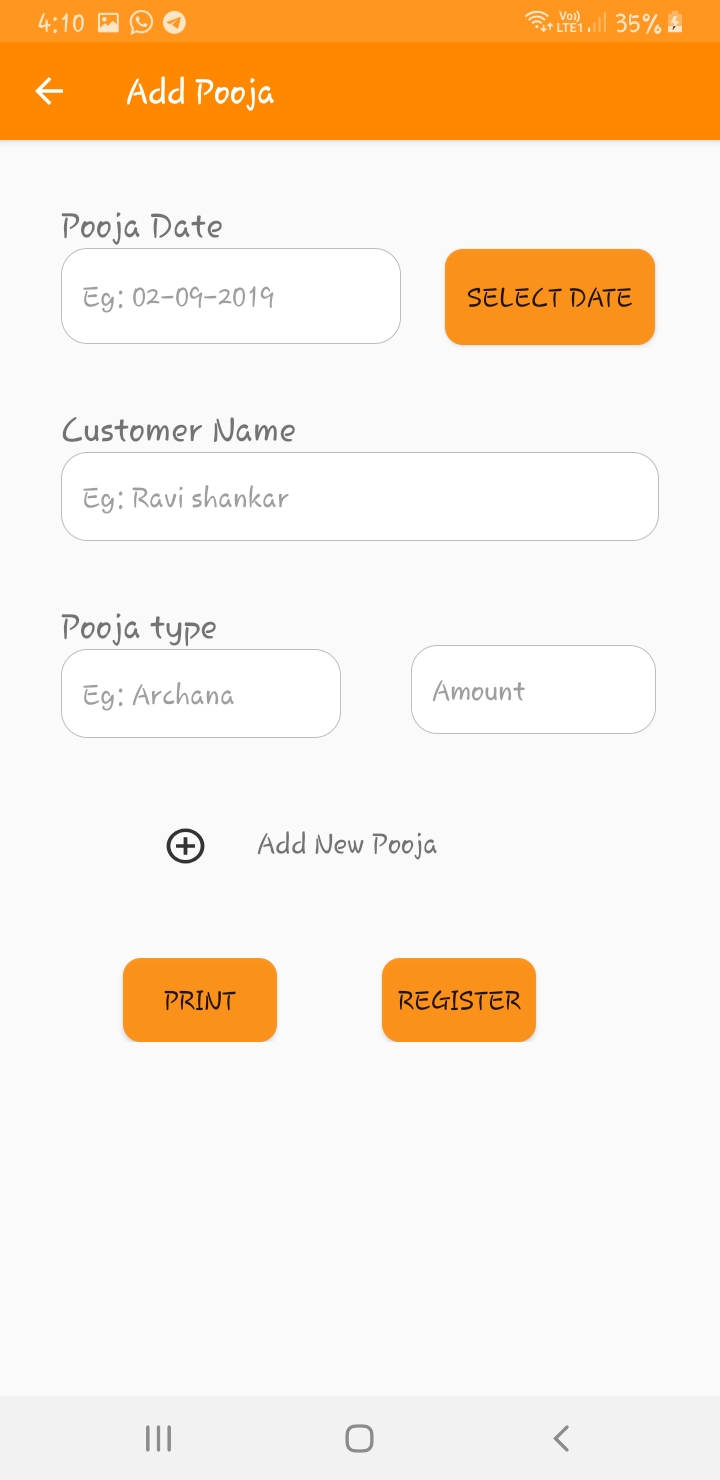
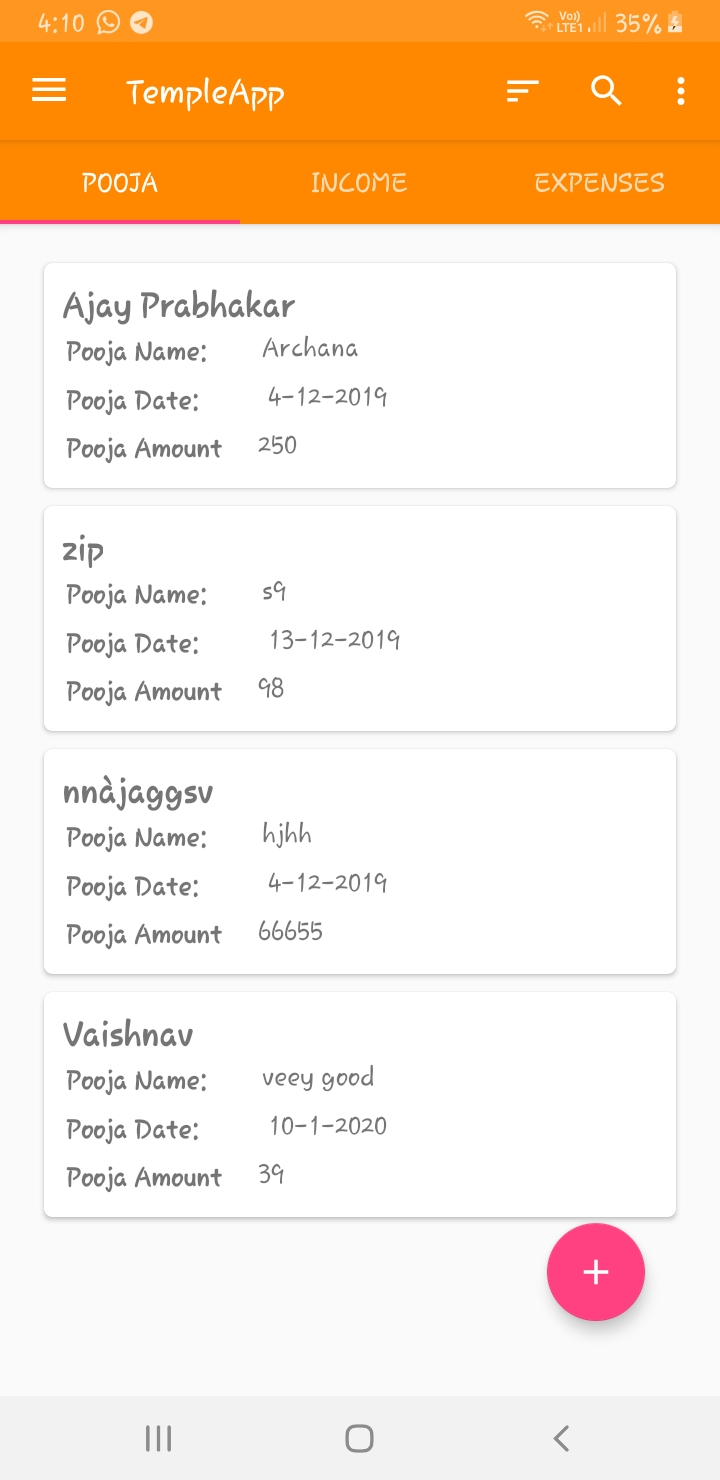
Cool, we have our PoojsUtils data class and now we just need to create our simple UI to allow the user to store and visualise his poojas, we’ll look at it later when writing data to our realtime database.
So, for the UI, we’ll add a button in our MainActivity to open a new AddPoojaActivity and in here the top part will be a basic form for the user to add his games, and the bottom section will be a recycler view to list those
 |
 |
Enabling Realtime Database and setting Rules
Before looking into how to write and read data to/from our Firebase Realtime Database, we also need to enable it on the Firebase Console, and when doing that, it’s important to look at the rules for it. With the Firebase Realtime Database Rules we can set how and when our data can be read from and written, other things like how the data is structured and indexed. This is how the 3 most common rules look like:
When enabling the realtime database on the console we have to click on get starteds. we’ll pick option 2 with public read and write access. We’ll have a shared database of poojas that everyone can contribute to and read from😄 If you want to know more about to setup proper rules you can check the official documentation.
Write data
Now that we have our database created let’s go ahead and see how we can write data there using the form in our AddPoojaActivity:
we will focus in the important part. The only important piece missing is how to get our databaseReference but it’s as easy as this:
databaseReference = FirebaseDatabase.getInstance_()_._reference_
With our database reference sorted, let’s analyse the rest of the code:
- By using
push()we’re basically adding an element on thePoojaUtilstable on Firebase. The first time we do this, if the table doesn’t exist it just gets created. Firebase adds an element and automatically generates and return the ID for that element that we can use later to update the value. - we basically create a
poojaUtilsinstance to whatever was submitted in the form, easy right. - we just tell the adapter we added a new game to the list and that’s it we’re done.
And this is how easy it is to write data, let’s go ahead and use the form to add some of my favourite games, so many hours spent on these 😄. If we go back to the Firebase Console now, we can see how the 3 games were added to our database:
Read data
Writing data is sorted, let’s look at how to read data from our database. With Firebase Realtime Database is really simple, it basically works using event listeners on the data, so it’s a very common callback pattern that we’re all very used to, let’s see:
The code is quite self explanatory, but as with the reading part, let’s analyse it:
- we add a
ValueEventListenerto our table reference and implement the required methods, so every time there’s a change on thepoojaUtilstable in the database we get notified and receive a data snapshot of the database table. - we’re just showing a Toast in case of error when trying to read from the database.
- we just extract the actual list of games from the DataSnapshot object and pass it to our adapter. If we implement a diff callback (which I didn’t 😃)
And if writing was easy, reading is even more, right? This is all we need to do to be constantly listening for events on the database. In a more realistic example we should keep a reference to our ValueEventListener so we can unsubscribe when required.
If we just want to read the data once and not get all the update events we can use the addListenerForSingleValueEvent() function instead. When dealing with lists like in our case there’s also an option to get notified of events on a single child on the database table. Not relevant for our example, but if we want that we can use the addChildEventListener() function and pass an instance of ChildEventListener that will give us more events.
You can get more reference at sourcecode